Sunday, December 11, 2022

Chat GPT - How can we contact other life on other planets?

 How can we contact other life on other planets?

There are currently no known ways to directly contact or communicate with other life forms on other planets. While the possibility of extraterrestrial life exists, it is currently unknown whether such life exists and, if it does, whether it is technologically advanced enough to establish communication with us.

In the past, scientists have used radio telescopes to search for signs of intelligent life in the universe. This approach involves scanning the skies for radio signals that may be coming from other intelligent civilizations. However, this method has not yet yielded any definitive results and is considered to be a long shot at best.

In the future, if and when we do discover other intelligent life forms, we may be able to establish communication with them through the use of advanced technologies, such as advanced radio telescopes or other forms of long-distance communication. However, the challenges involved in such an endeavor would be immense, and it is currently unclear how we would go about establishing such communication.

Saturday, October 1, 2022

Index DICOM files with Python to csv

#!/usr/bin/env python

# This script will read DICOM Files and output headers to csv

import os
import sys
import os.path
import csv
import pydicom   # Load dicom tools.  Install with: pip install pydicom
import time
timestr = time.strftime("%Y%m%d-%H%M%S")
global success_count
global total_file_count
# files extensions not to index
file__ex_list = ['.xml','.gz','.zip','.txt','.doc','csv']
# set output file name
csvfilename = 'c:\\support\\DicomFileList-' + timestr + '.csv'
success_count = 0
total_file_count = 0
skipped_file_count = 0
# Set the path to scan for files
tpath = 'E:\\PACS-EXPORT' # \\20200130\\1.2.840.113619.2.226.6067236.1580392212.0.5\\1.2.840.113619.2.226.6067236.1580392212.0.6'
# create the header for the CSV file
csvheader = "SOPInstanceUID,StudyInstanceUID,AccessionNumber,PatientID,SeriesDescription,StudyDate,PatientName,Modality"
csvfile = open(csvfilename,'w', newline='')

#print(tpath)
# Recursively upload a directory

with csvfile:
    fnames = ['SOPInstanceUID','StudyInstanceUID','AccessionNumber','PatientID','SeriesDescription','StudyDate','PatientName','Modality','PatientBirthDate',"FileName"]
    csvwriter = csv.DictWriter(csvfile, fieldnames=fnames)
    csvwriter.writeheader()

    for root, dirs, files in os.walk(tpath):
        for f in files:
                total_file_count += 1
                #print(tpath)
                myfile = os.path.join(root,f)
                print("Looking at file -",myfile)
                #print(myfile.lower().endswith())
                if f.lower().endswith(tuple(file__ex_list)):
                    sys.stdout.write(" => skipping " + os.path.splitext(f)[1] + " file\n")
                    skipped_file_count += 1
                else:
                    success_count += 1
                    dicomdata = pydicom.dcmread(myfile)
                    csvwriter.writerow({
                                        'SOPInstanceUID' :  getattr(dicomdata,'SOPInstanceUID',''),
                                        'StudyInstanceUID' : getattr(dicomdata,'StudyInstanceUID',''),
                                        'AccessionNumber' : getattr(dicomdata,'AccessionNumber',''),
                                        'PatientID' : getattr(dicomdata,'PatientID',''),
                                        'SeriesDescription' : getattr(dicomdata,'SeriesDescription',''),
                                        'StudyDate' : getattr(dicomdata,'StudyDate',''),
                                        'PatientName' : getattr(dicomdata,'PatientName',''),
                                        'Modality' : getattr(dicomdata,'Modality',''),
                                        'PatientBirthDate' : getattr(dicomdata,'PatientBirthDate',''),
                                        "FileName" : myfile
                                        }) #patientName


if success_count == total_file_count:
    print("\nSummary: all %d DICOM file(s) have been processed successfully" % success_count)
else:
    print("\nSummary: %d out of %d files have been processed successfully as DICOM, with %d files skipped" % (success_count, total_file_count, skipped_file_count))

Friday, September 30, 2022

Count records in csv file and group duplicates in PowerShell

#
#  Output number of images per study form input file list
#   used to validate data in PACS Export and Transfer in October 2022
#   Why:  Needed to process a 400K item list of images files and group by study accession number with total of images see dicom files with python.


$dicomimages = Import-Csv  -Delimiter "," -Path .\DicomFilelist-20220928-135709.csv

$studylistcount = $dicomimages |Group-Object -Property AccessionNumber

[System.Collections.ArrayList]$dicomtruth = @{}


$studylistcount |ForEach-Object {

    $studygrp=$_.Group


     $count= $_.count

     $acc = $_.name

     $mrn = $studygrp| Select-Object -ExpandProperty PatientID -First 1

     $description =  $studygrp| Select-Object -ExpandProperty SeriesDescription -First 1

     $StudyDate =  $studygrp| Select-Object -ExpandProperty StudyDate -First 1

     $StudyInstanceUID  =  $studygrp| Select-Object -ExpandProperty StudyInstanceUID -First 1


    $line = [pscustomobject]@{  

            StudyUID = $StudyInstanceUID

            PatientMRN = $mrn

            AccessionNumber = $acc

            StudyDate = $StudyDate

            StudyDescription = $description

            NumberofImages = $count

            }

        $dicomtruth.add($line)|Out-Null    

        }

     $truthfile = "c:\support\dicomtruth-" + $(get-date -f yyyyMMddhhmm) + ".csv"

     $truthfile

     $dicomtruth |Export-Csv -Path $truthfile

Wednesday, July 13, 2022

Domain Setup 101

1.      Find a domain.

a.       https://instantdomainsearch.com/

2.      Purchase the domain

a.       Use GoDaddy or other domain sellers

3.      Purchase email

a.       Purchase email with the domain if needed

4.      Connect domain to your funnel or website

a.       Add domain

b.      Copy the IP to your DNS record

c.       Add www also if this is a top-level domain

d.      Connect your domain to site or funnel

5.      Test

a.       Connect to your domain site or funnel

b.      Try on multiple devices if possible


Thursday, June 30, 2022

Setup DICOM dcmtk Tool kit

How to setup the "dcmtk" DICOM tool

The DICOM Toolkit (DCMTK) can be installed on many platforms. It is a set of command line tools for use with the DICOM and PACS systems.  The extension for DICOM "when used" files is .dcm

DICOM standard ("Digital Imaging and Communications in Medicine"), which was first published in 1993, has become widely accepted.

The beginnings of the standard

Since the 1970s, when computed tomography was introduced as the first digital modality, the importance of digital medical image processing has increased permanently. The emerging idea of a digital image archive (PACS) and electronic image distribution in a hospital created the need to exchange digital images between medical devices of different manufacturers. 

    Ref: https://dcmtk.org/dcmintro.php.en

1. Install Chocolatey

Reference:
https://chocolatey.org/install


Run PowerShell as administrator.


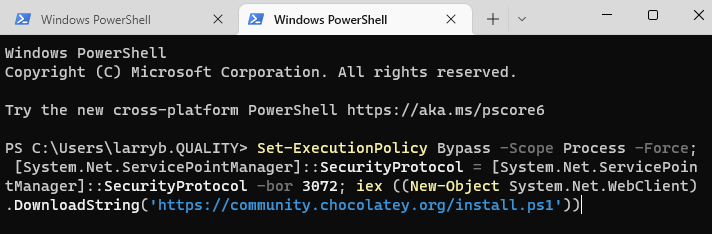
Set-ExecutionPolicy Bypass -Scope Process -Force; [System.Net.ServicePointManager]::SecurityProtocol = [System.Net.ServicePointManager]::SecurityProtocol -bor 3072; iex ((New-Object System.Net.WebClient).DownloadString('https://community.chocolatey.org/install.ps1'))

Windows -> run -> cmd

close command prompt window and open new command prompt admin console

1. Install dcmtk

Reference:
        https://dcmtk.org/

then run

choco install dcmtk

Thursday, February 24, 2022

Adobe PDF Script Calculate Age

 This is the script to calculate age in Adobe Acrobat Pro.  


This works but throws a internal error.


================================================

// Calculate Age 

// Ref: https://community.adobe.com/t5/acrobat-sdk-discussions/how-to-override-a-calculation-with-manual-entry-in-results-field/td-p/10856126


console.println("Calc Age Started");

var dobValue = getField("DOB").value;


if (dobValue!="") {


var dob = util.scand("mm/dd/yyyy", dobValue);


var today = new Date();


// compute years on full year only


var AgeCalulated = today.getFullYear() - dob.getFullYear();


// adjust for months before month of birth


if (today.getMonth() < dob.getMonth()) AgeCalulated = AgeCalulated - 1;


// adjust for today's month equal to dob's month and today's date before the date of birth


if ((today.getMonth() == dob.getMonth()) && (today.getDate() < dob.getDate())) AgeCalulated -= 1;


//event.value = AgeCalulated;

    console.println("Calc Age Proceess Start");

    getField("AGE").value=AgeCalulated;

    console.println("Calc Age Proceess Finished");


}

Thursday, February 3, 2022

Logoff Disconnected Users with 1 line of PowerShell

 This is the simple way to logoff disconnected users with 1 line of PowerShell


########################################################
# Script to log off Disconnected users on local users
# Ref: https://searchenterprisedesktop.techtarget.com/blog/Windows-Enterprise-Desktop/Logoff-Disconnected-Win10-Users-Via-Command-Line
# Ref Post By: Ed Tittel 24 Sep 2018
#######################################################
# Larry Billinghurst - 3 Feb 2022
#######################################################

quser | Select-String "Disc" |ForEach {logoff ($_.tostring() -split ' +')[2]}